
QGIS.GE Launcher
ერთი დაჭერით გახსენით საიტები და რეპოზიტორიები, რომლებსაც ყოველდღე იყენებთ. სია სრულად თქვენია. Open the sites and repositories you use every day in one click. The list is entirely yours.
დაყენებაInstall
აირჩიეთ თქვენი ბრაუზერი. Pick your browser.
Microsoft Edge
მაღაზიიდან, ერთი დაჭერით და ავტომატური განახლებით. ეს ყველაზე მარტივი გზაა. From the store, in one click and with automatic updates. This is the easiest route.
Chrome, Brave, Vivaldi, Arc, Opera
ხელით დაყენება. სამი წუთი სჭირდება და ყველა Chromium ბრაუზერში ერთნაირად მუშაობს. Manual install. It takes three minutes and works the same in every Chromium browser.
- ჩამოტვირთეთ ბოლო გამოშვების ZIP ფაილი. Download the ZIP from the latest release.
- ამოხსენით ცალკე საქაღალდეში და დატოვეთ იქ — წაშლის შემთხვევაში გაფართოება გაითიშება. Unzip it into a folder and leave it there — deleting the folder disables the extension.
-
გახსენით
chrome://extensions(Edge-ზეedge://extensions, Brave-ზეbrave://extensions). Openchrome://extensions(edge://extensionsin Edge,brave://extensionsin Brave). - ზედა მარჯვენა კუთხეში ჩართეთ Developer mode / დეველოპერის რეჟიმი. Turn on Developer mode, top right.
-
დააჭირეთ Load unpacked და აირჩიეთ ამოხსნილი საქაღალდე — ის, რომელშიც
manifest.jsonდევს. Click Load unpacked and pick the unzipped folder — the one that containsmanifest.json. - მზადაა. დააჭირეთ ხატულას ხელსაწყოთა ზოლში, ან Alt+Shift+G. Done. Click the toolbar icon, or press Alt+Shift+G.
- ბრაუზერმა შეიძლება აჩვენოს შეტყობინება დეველოპერის რეჟიმის გაფართოებების შესახებ — ეს ნორმალურია ამ გზით დაყენებისას. The browser may warn about developer-mode extensions — that is normal for this install route.
- ასე დაყენებული გაფართოება ავტომატურად არ განახლდება. ახალი ვერსიისთვის ჩამოტვირთეთ და იგივე საქაღალდეზე გადააწერეთ. An extension installed this way does not update automatically. For a new version, download it and overwrite the same folder.
ორგანიზაციისთვისFor organisations
თუ Chrome ან Edge ცენტრალიზებულად იმართება — უნივერსიტეტში, კომპანიაში, საკლასო ოთახში — გაფართოება შეიძლება ავტომატურად დაყენდეს და განახლდეს ჯგუფური პოლიტიკით, მაღაზიის გარეშე. If Chrome or Edge is centrally managed — a university, a company, a classroom — the extension can be installed and kept up to date by policy, with no store involved.
როგორ გამოიყურებაWhat it looks like
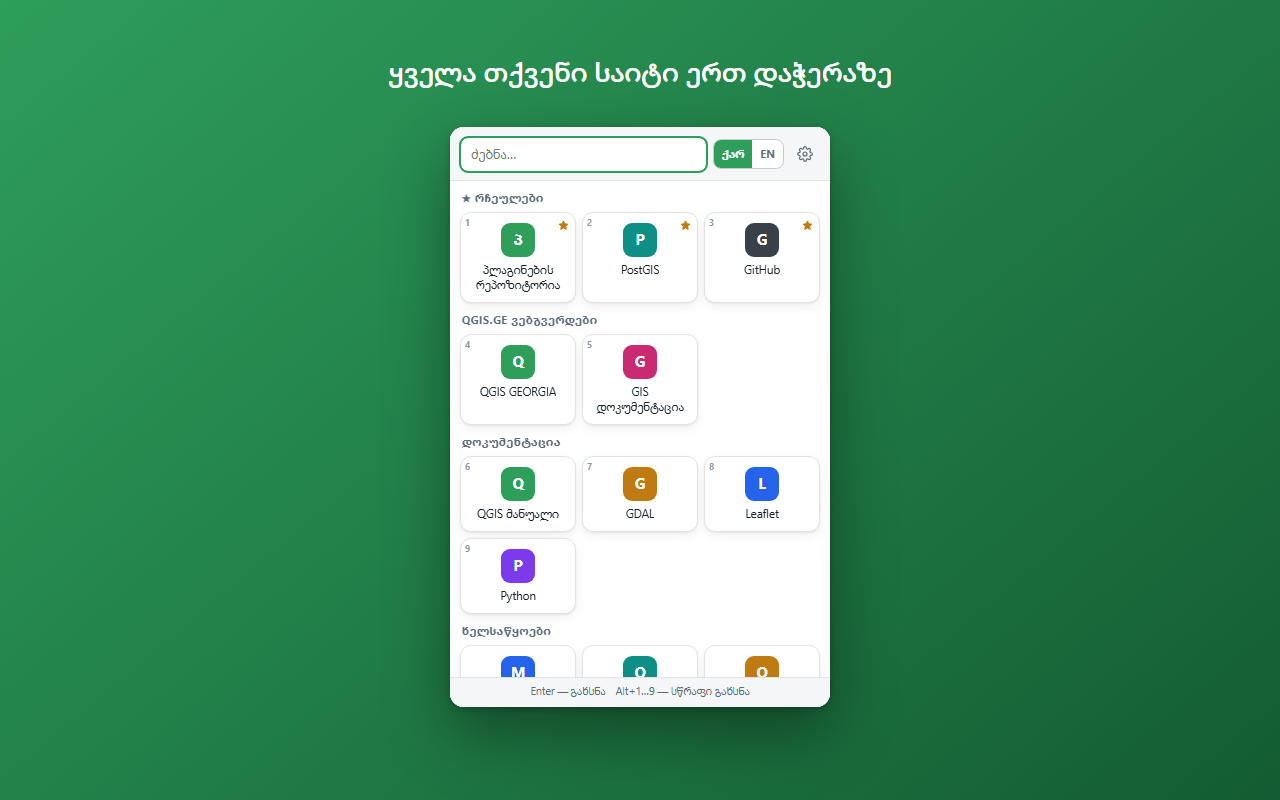
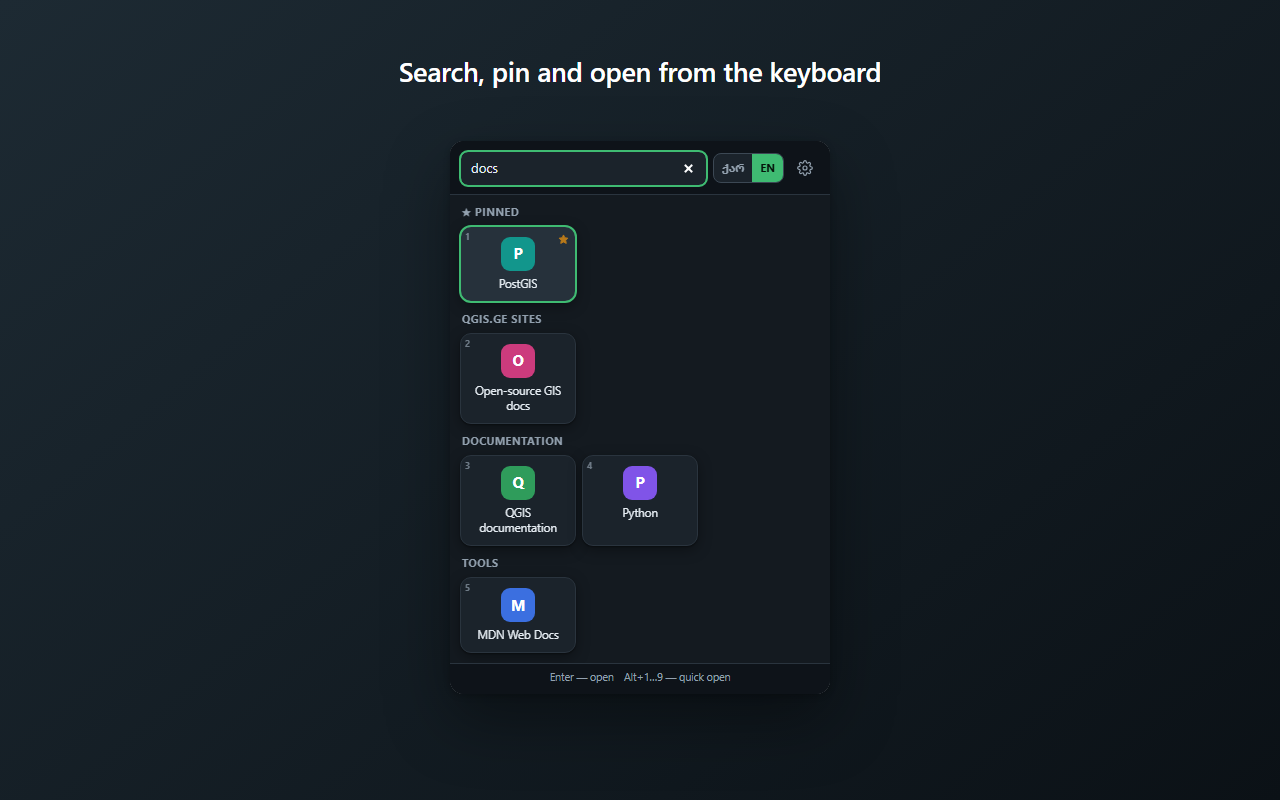
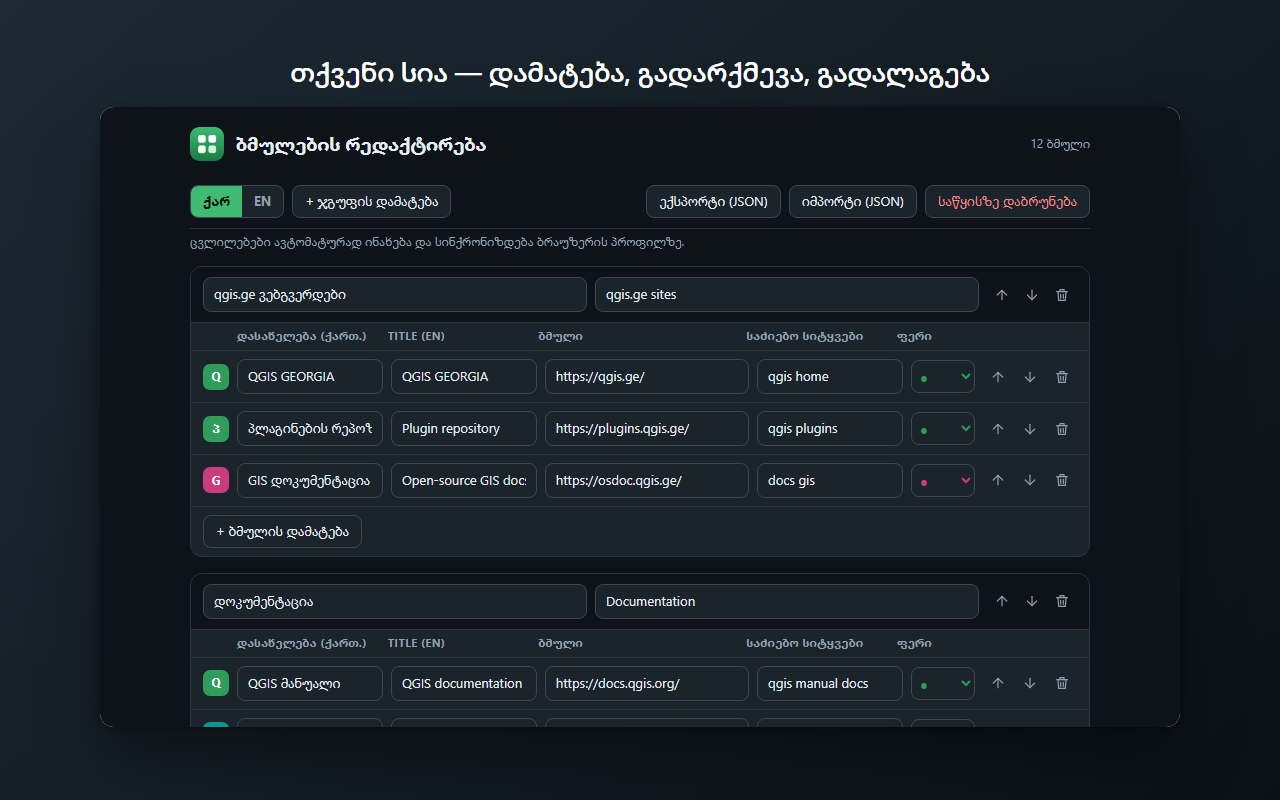
ქვემოთ ნაჩვენები ბმულები მაგალითია — თქვენი სია სრულად თქვენ განსაზღვრავთ. The links below are an example — your own list is entirely up to you.
პრივატულობაPrivacy
გაფართოება არცერთ სერვერს არ უკავშირდება და ითხოვს ერთადერთ ნებართვას — storage — რომ თქვენივე ბმულების სია დაიმახსოვროს. არც ისტორიაზე, არც ჩანართების შიგთავსზე წვდომა არ აქვს; საიტების ხატულებსაც კი არ ჩამოტვირთავს.
The extension contacts no server and asks for a single permission — storage — to remember your own list of links. It has no access to your history or the content of your tabs, and does not even download site favicons.